Globechat
| Desktop | Mobile |
|---|---|
 |  |
Why
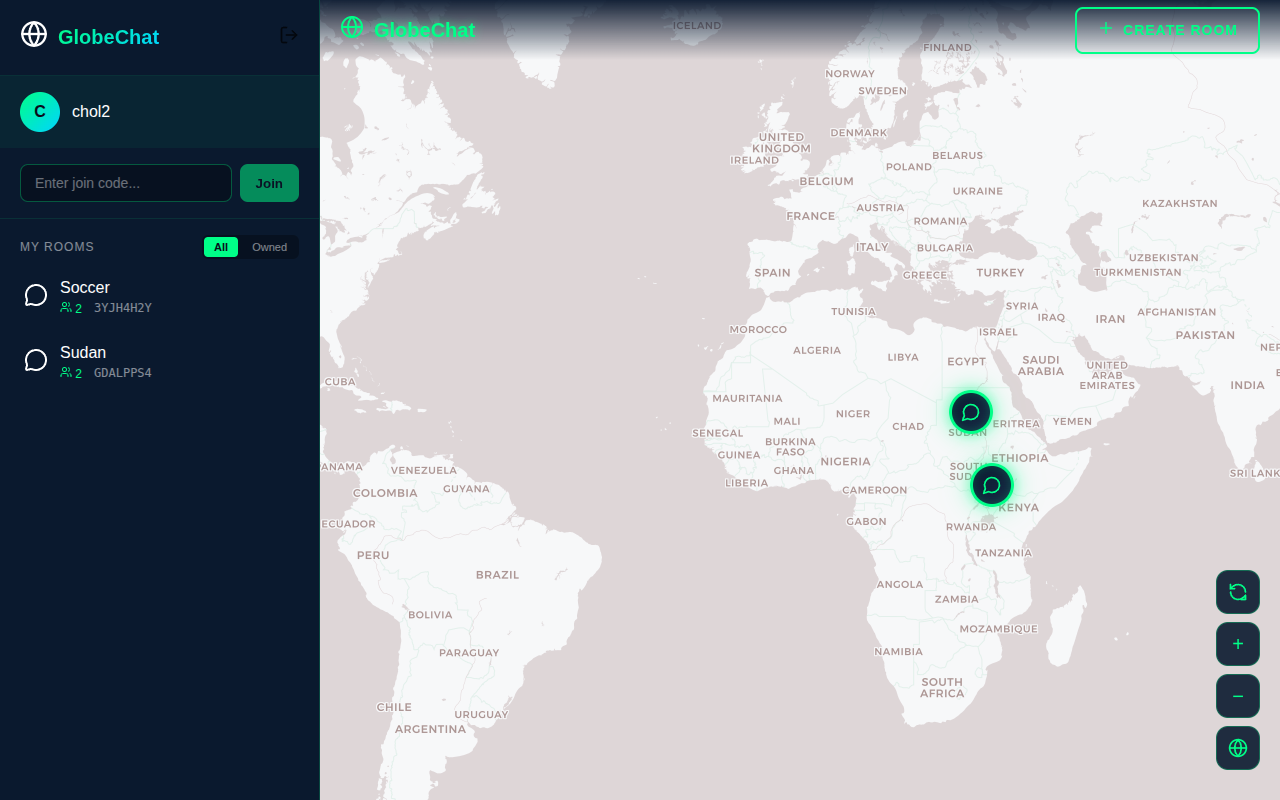
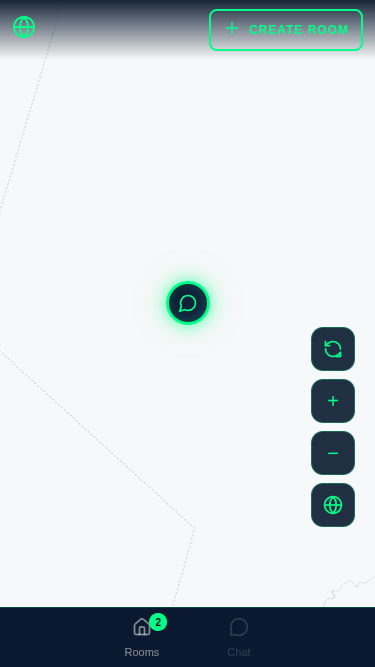
We had just gotten access to GitHub Copilot at work and I needed a moderately complex project to try it out with. So I built Globechat, a real-time WebSocket chat application that allows users to place a chat on a map and invite their friends to chill and vibe. It features what I call moodsic (essentially mood music for the room). Users can hover over chat room markers on the map to hear the vibe in the room based on the moodsic set. The app features simple JWT auth and email-based registration. There are no bells and whistles such as email verification, etc. Claude Code (CC) was used extensively.
The Process
The process mainly involved using Spring Initializr to create the base of the project. I chose all the dependencies I needed such as Spring MVC, WebSocket, Spring Security, etc.
I used CC credits instead of a subscription. This regrettably cost more, but there’s a high chance I would have hit plan limits.
I used the Maven frontend plugin to basically bundle the Angular app with the Spring Boot API and get the built-in Tomcat server to serve it when we hit /. All API-related requests went to /api.
My process heavily relied on using Claude Code plan mode. I made small adjustments before committing if I didn’t agree with something. I used a local Docker instance of Postgres DB which was already running daemonised. Then I would run:
/mvnw spring-boot:run -Pdev -DskipTests
Again, I skipped the tests because they were broken and I couldn’t be bothered fixing them.
I used multiple profiles: dev connects to the local Docker DB, and prod connects to the production DB which runs on Supabase. DB environment variables must be provided beforehand.
I used a production DB instance using Supabase free tier, which is ideal for side projects like these.
For the native image, I used:
./mvnw package -Pnative -DskipTests
However, the native image took forever to build and I only used it for converting the application to have full native image support.
What I learned
Plan mode is better in Claude Code
When working on a large codebase or introducing sweeping changes across many files, I found that CC plan mode was far more effective and reduced the number of reworks as I can provide more context to the AI. When happy with the plan, I get the agent to go ahead and make the changes. So this isn’t vibe-coding in the traditional sense of the word.
Backend is always the part that doesn’t take long
Again, as in my previous project, using Spring Boot proved to be useful. A good framework does so much heavy lifting for you. Spring has many established patterns that made working with databases such as Postgres easy. I was able to have WebSockets working with very minimal effort. Overall, the backend took the least time to be fully feature complete. Most of the changes occurred on the frontend.
Tool calling is your friend
Again, I used Playwright MCP but not as much this time. It was used for debugging UI.
Using Tailwind is not necessary
CC avoided using Tailwind or any other CSS framework. I had initially requested a sci-fi inspired UI, and it opted for a custom style and chose consistent colours.
Yes, have a CLAUDE.md
Many coding agents use some Markdown files for context such as AGENT.md for Codex and others. CC prefers CLAUDE.md and that’s what I was aware of.
This file allows you to lay some ground rules for your projects and is very useful especially in plan mode. It includes things such as style guide, product look and feel, and much more.
GraalVM and Spring Native
I have a $5 USD Linode server which has 1GB of RAM and is running Docker to host NotJS. So I needed a solution. Instead of running the Spring JAR, I opted for a native image. CC made this super easy, but there was some wrestling with providing hints for some libraries. After this, I had a native binary that only needed less than 200 MB of RAM. This is good because it means I can now create more backend applications that don’t require crazy amounts of RAM to run, specifically in Spring Boot.
Starting with Desktop first is okay
I started developing Globechat as desktop first and then later moved to make it responsive. I was impressed that CC chose bottom tabs for mobile, a well-established pattern.
Claude Code makes complex UI features a breeze
I needed a feature where when users hover or touch and hold a marker, it would play the music (if any) and have tiny music clefs radiating in all directions randomly as the music plays. Claude Code understood this intent very well. This was a feature I called vibe-check, and I thought it would take forever. It essentially lets you hear the music being played in the chat to gauge the mood. Claude did this in one shot. This would have taken me ages of Googling.
What I would do differently
Testing
Initially, I had gotten CC to write integration and unit tests. Maven was also configured to run these tests, but I later turned them off in my build pipeline as they became stale and started breaking. If I did this again, I would focus more on writing clean tests for each working feature. This way, future changes don’t introduce regressions. One issue with agentic code is that it sometimes breaks working features. I feel that having good test coverage would improve this situation.
Take security seriously
If I had the chance to do this app again, I would pay attention to security, such as whether given a room ID we can message the room without being a member. This is also the reason testing would help, because then we can establish our security rules. One of the biggest issues with vibe coding is people not being careful with security-sensitive features. I think any app involving critical financial functionality or anything with high stakes should use coding agents with caution.